Getting Started
Cloud Server
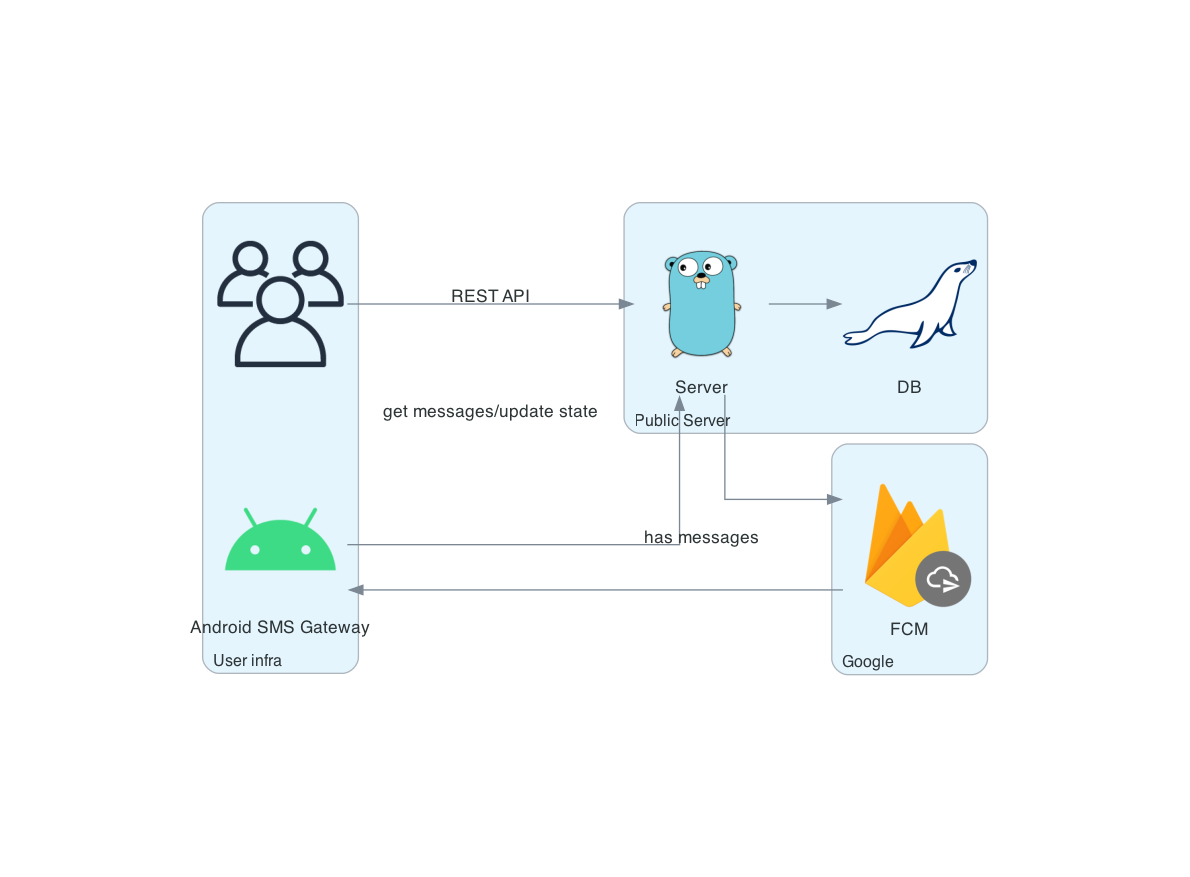
Use the cloud server mode when dealing with dynamic or shared device IP addresses. The best part? No registration, email, or phone number is required to start using it.
- Launch the app on your device.
- Toggle the
Cloud Serverswitch to the "on" position. - Tap the
Onlinebutton located at the bottom of the screen to connect to the cloud server. -
In the
Cloud Serversection, the credentials for basic authentication will be displayed.
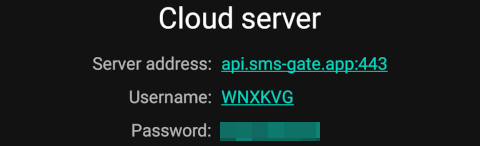
-
To send a message via the cloud server, perform a
curlrequest with a command similar to the following, substituting<username>and<password>with the actual values obtained in step 4:
Password Management
To change your account password, follow these steps:
- Open the app and navigate to the "Settings" tab
- Locate the "Cloud Server" section
- In "Credentials" section, tap the "Password" item and enter new password
- Changes will be applied immediately
Requirements
- Password must be at least 14 characters long